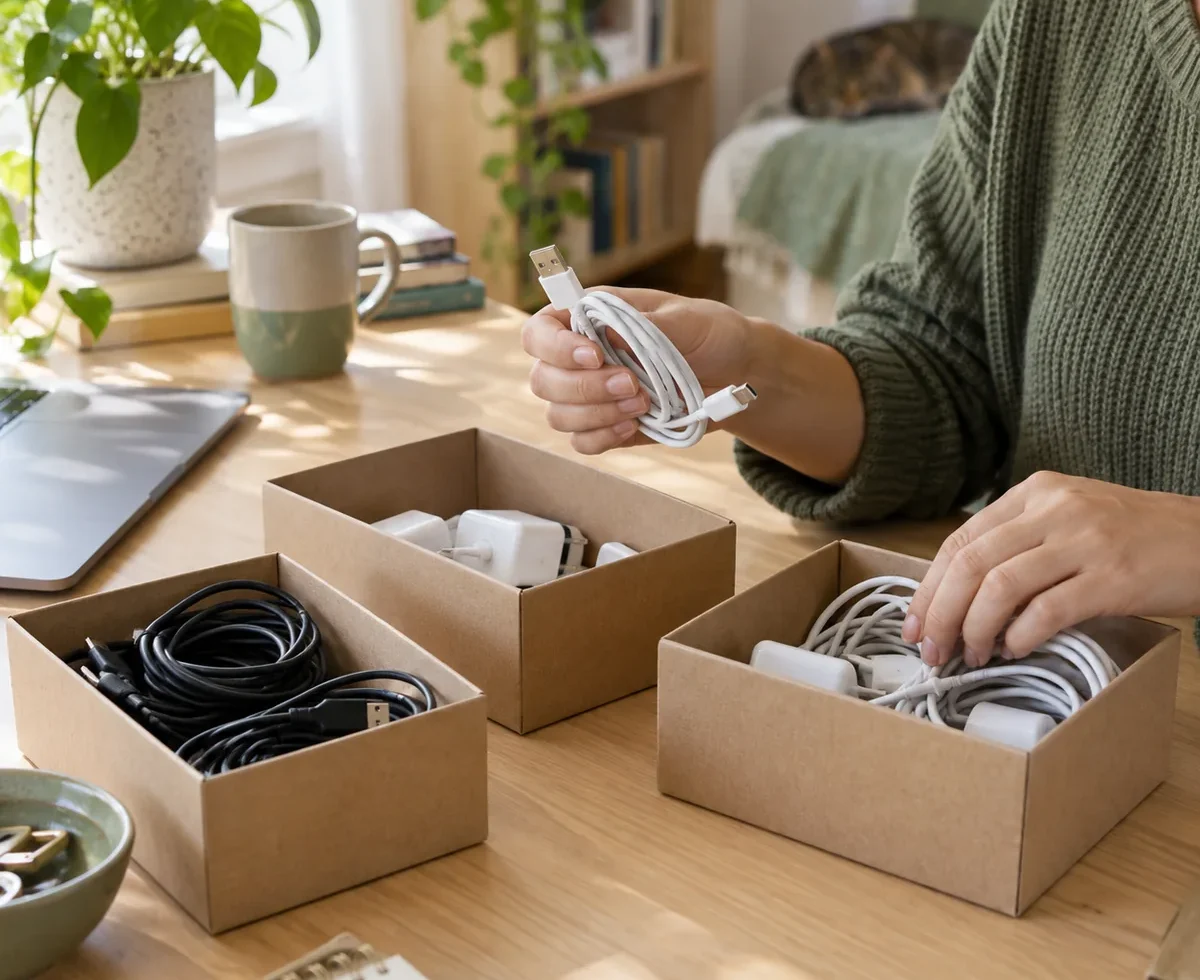
A drawer full of cables often stays full because every cord looks as though it might be useful someday. The quickest way to make it usable is to match cables to devices, remove damaged items, and give the remaining ones a clear home. You can do that with a few reused boxes and labels rather than buying a cable organizer.
This guide focuses on loose, unplugged chargers and cables. It also covers the active cords around a desk, where a tidy appearance must not come at the expense of electrical safety. If a plug, cable, or device seems damaged, stop using it and follow the manufacturer’s advice or replace it with a correctly specified item.
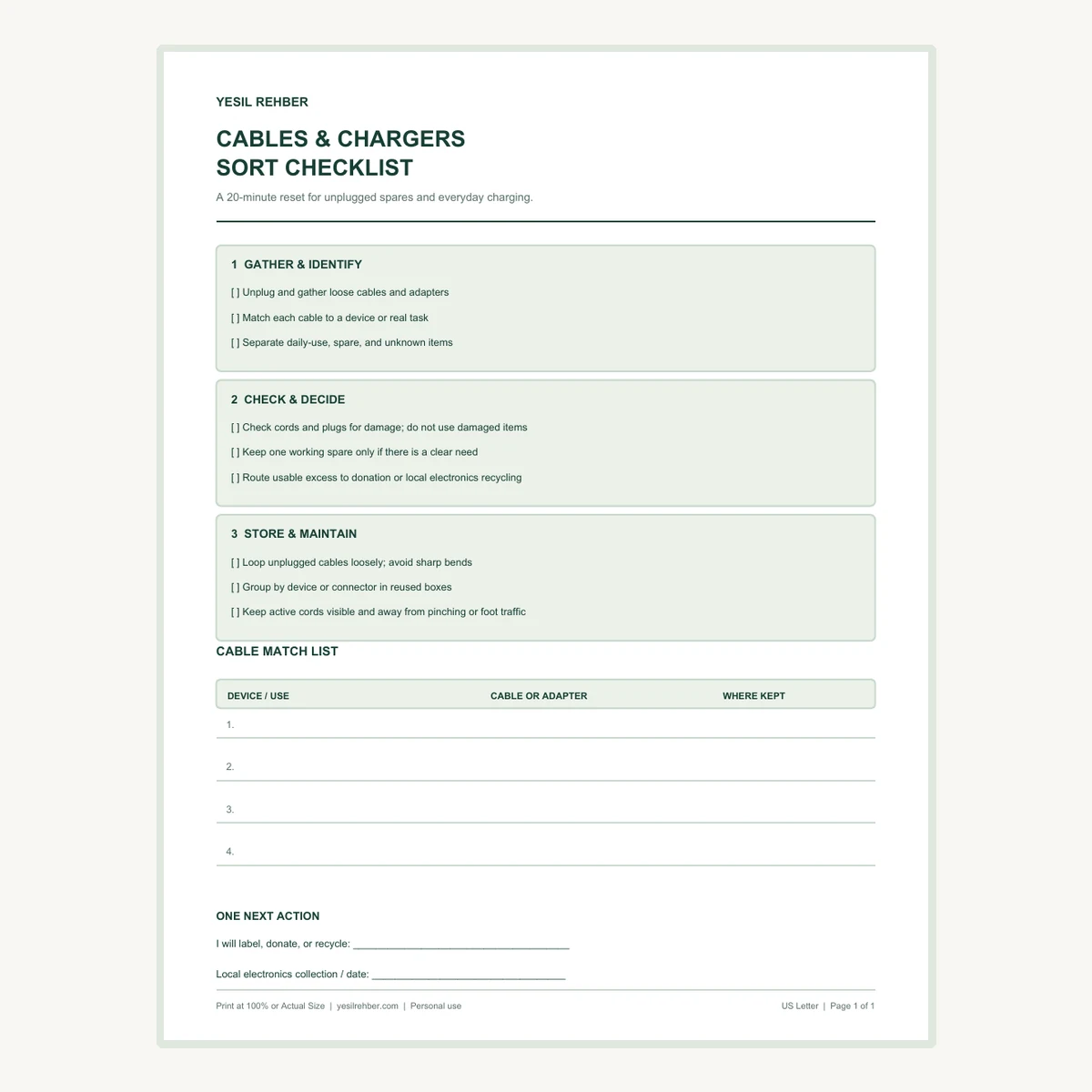
Free Cables & Chargers Sort Checklist
This one-page printable walks through gathering, checking, deciding, and storing. It includes a four-row match list so you can record which charger belongs to which device. Choose US Letter or A4 and print at 100% or Actual Size.
A 20-minute reset in five moves
- Gather loose, unplugged cables and chargers from one area.
- Match each one to a device or a specific current use.
- Set aside anything visibly damaged or of uncertain compatibility.
- Loop the keepers loosely and group them in boxes you already have.
- Give daily-use cords a safe, accessible route and make a plan for excess items.
Start with a single drawer or desk. You do not need to unplug a working computer setup just to finish the exercise. Your first win is knowing what the loose cords are for and being able to find the one you actually need.
1. Gather loose cords and identify their job
Bring out the unplugged cables, power adapters, and charging accessories from one drawer or box. Put any connected equipment aside until you can switch it off and unplug it safely. Sort by the device or task each item supports: phone, laptop, camera, monitor, headphones, or a specific household appliance. Check model labels and the device manual when a connector or power adapter is unfamiliar.
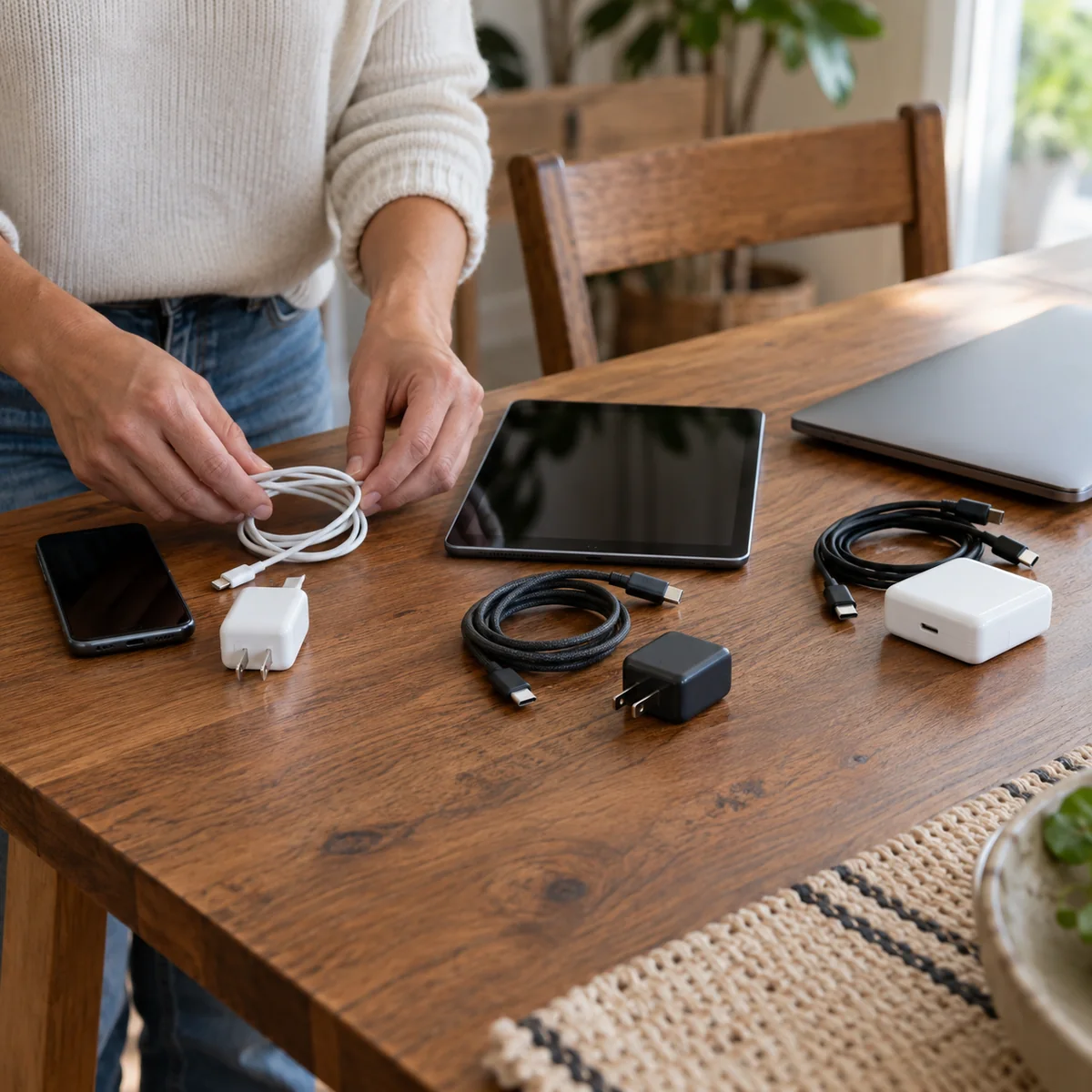
Do not test an unidentified power adapter by plugging it into a device that merely appears to fit. A matching connector does not establish that the electrical specifications are right. Check the manufacturer’s specifications or ask a qualified service provider when the match is uncertain. Put unknown items in a small, dated review group rather than mixing them back with known working cables.
Use the printable match list for the few items most likely to confuse you again. Record the device, cable or adapter, and where you will keep it. If you cannot name a current device or realistic use for a cable after checking, it is a candidate for responsible pass-on or recycling.
2. Inspect before you decide to keep
Look along each unplugged cable and at its plug or connector. Check for frayed insulation, exposed wire, cracking, bent or damaged prongs, burn marks, or a loose connection. Do not handle exposed wiring or try to make a damaged cord usable with a decorative wrap. Electrical Safety Foundation International advises against using damaged or hot cords and says extension cords should be used only as temporary solutions.
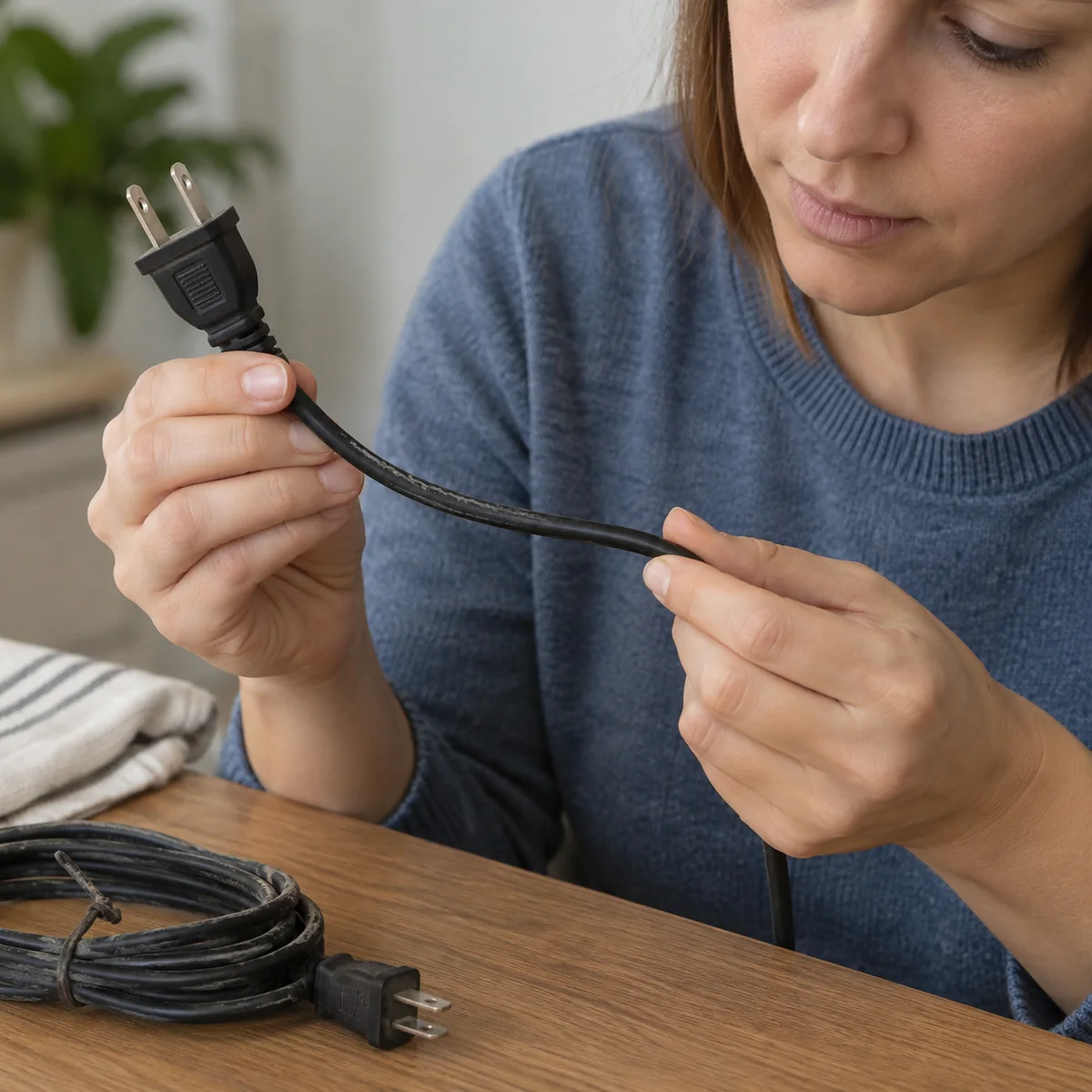
Separate damaged items from the usable pile immediately so no one grabs them by mistake. Check local electronics or electrical-waste collection instructions for disposal. If a cord is part of an appliance, follow its manufacturer’s replacement guidance; a do-it-yourself repair is not automatically safe. A spare that is damaged is not a useful spare.
3. Keep a sensible number of working spares
For each device, keep its required charger and any spare that serves a genuine need, such as a travel cable you use. The right number depends on your household and equipment, so avoid a rigid one-of-everything rule. But ten unidentified cords do not become useful simply because they fit in a bigger box.
For cables you no longer need, first consider whether they work and whether another person can use them with a compatible device. Pass on working accessories with the device when appropriate. The Federal Trade Commission notes that accessories can make donated electronics more useful; it also reminds people to remove personal information from devices before donating or recycling them. A cable itself ordinarily holds no personal data, but a phone, drive, or computer may.
Find a local electronics collection program for items that cannot be reused. The U.S. Environmental Protection Agency recommends checking community, retailer, and manufacturer options. If a device or accessory contains a lithium-ion battery, do not put it in household trash or curbside recycling; follow the EPA’s separate battery guidance and local program rules.
4. Loop loosely and use boxes you already own
Make a relaxed loop in an unplugged cable without forcing a sharp bend near either connector. A reusable fabric tie or other gentle fastener can keep it together. Avoid twisting, stapling, or crushing power cords. ESFI recommends storing cords without sharp bends and keeping them away from heavy furniture and foot traffic.
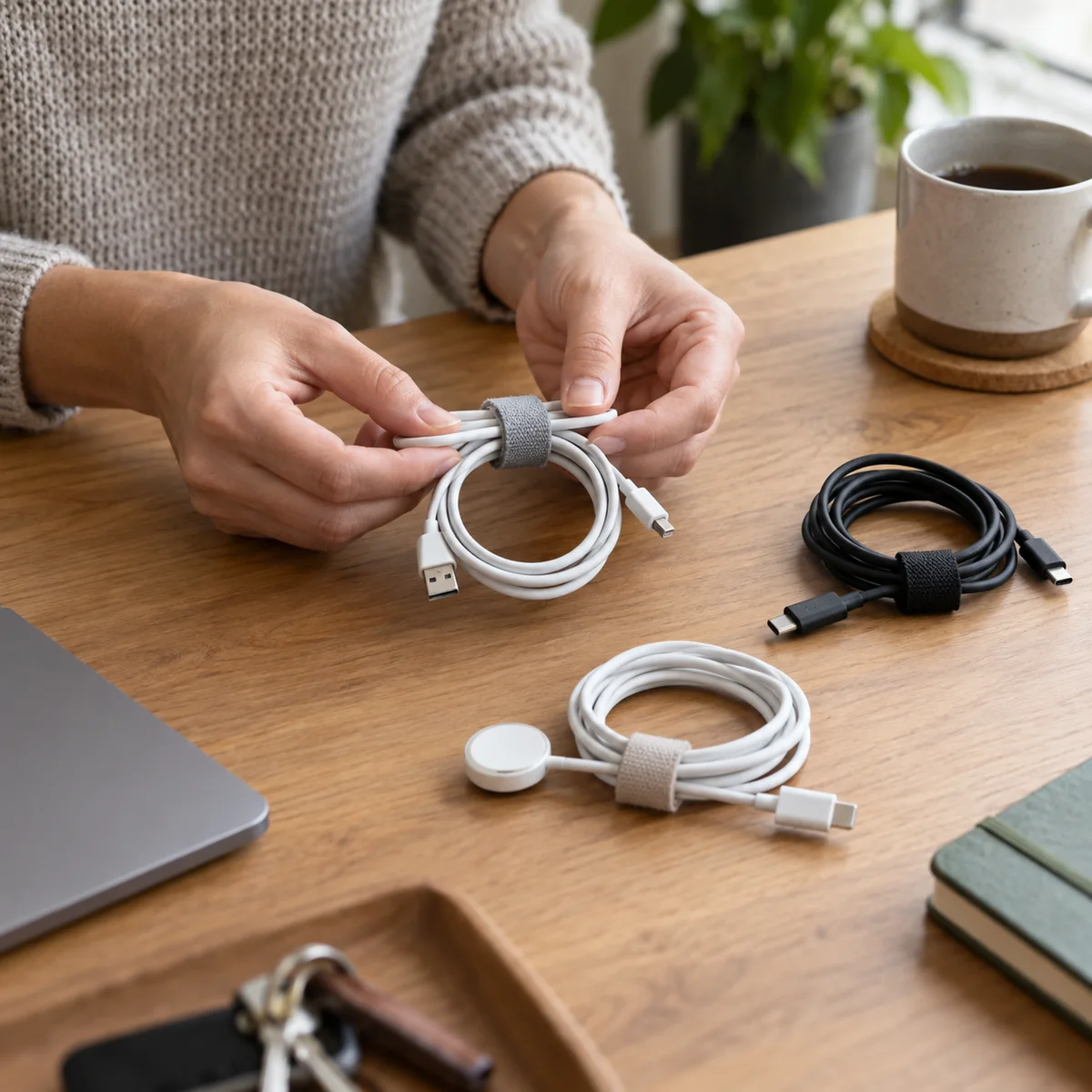
Now reuse a small box, envelope, or drawer divider you already own. Group by device when accessories are specific, or by function when you have interchangeable, verified cables. Put the most frequently used item at the front. Keep the matching charger next to the device’s other accessories, and write the device name on the box rather than trusting memory.
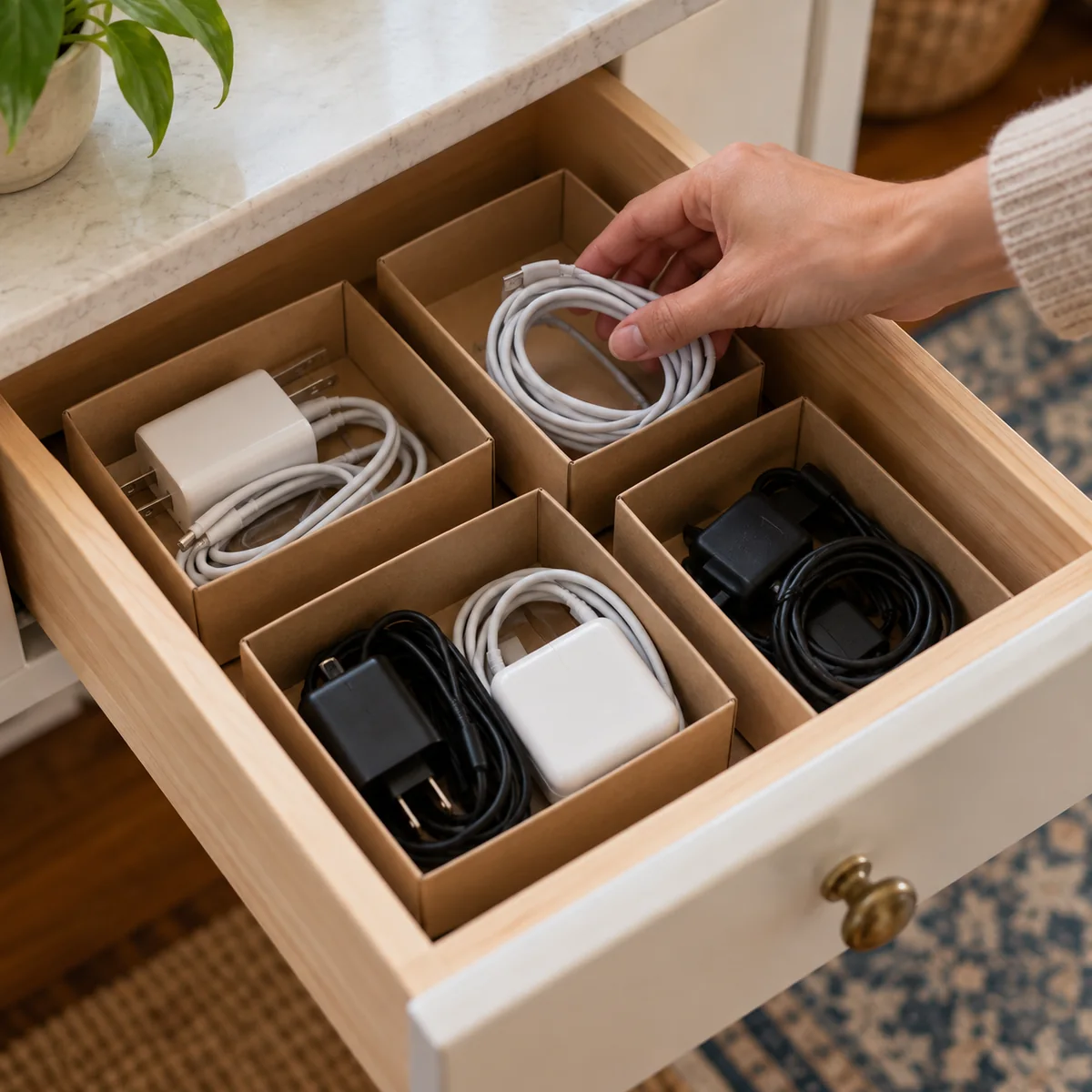
A box should make retrieval easier, not hide a second layer of undecided items. Give the unknown group a review date. If you later find the matching device, label the pair. If not, check an appropriate reuse or recycling route. For another small-space reset using existing containers, see our junk drawer guide.
5. Keep active charging cords accessible and safe
Daily-use cords should reach their devices without being stretched across a walkway or pinched by a chair leg. Keep them visible enough to inspect and unplug. Do not run a power cord under a rug, carpet, or furniture to make the room look cleaner. ESFI warns that hidden or pinched cords can overheat or become damaged. Do not staple or nail cords to a wall, and do not cover a power strip or charger in fabric while it is in use.

Extension cords and power strips have ratings and limits; do not chain them together or treat an extension cord as permanent wiring. If a desk needs more outlets, address that need properly rather than concealing a series of temporary cords. Follow the product instructions and seek a qualified electrician for changes to household wiring.
How to keep the drawer from filling again
- When replacing a device: decide whether its old accessories still have a use.
- When adding a spare: name the device and the reason you need it.
- Once a month: return stray cables to their assigned box and inspect active cords.
- Before buying: check the match list and the specifications of what you already own.
If a working cable is still useful to someone else, pass it on with its compatible device or clear identification. If you are sorting a broader pile of possessions, our decluttering guide offers a way to choose a real next destination for each item. The finished result here is simple: you can find the right charger quickly, and you know the active cords are not hidden in a risky place.
Download the cable sort checklist
Get the US Letter PDF (8.5 × 11 inches) or the A4 PDF (210 × 297 mm). Print at 100% or Actual Size. Start with one drawer and write down the four cable-to-device matches you are most likely to forget.
Sources
- Electrical Safety Foundation International, Extension Cord Safety Tips and Using Extension Cords Safely.
- U.S. Environmental Protection Agency, Electronics Donation and Recycling and Used Lithium-Ion Batteries.
- Federal Trade Commission, Recycle or Donate Old Electronics.