
To stop impulse buying online, give the purchase a place to wait. Move it from the cart to a short list, check what you already own, and review the real cost and seller terms when the urgency has passed. You can still buy something you need or genuinely value. The point is to make the decision yourself rather than let a notification or countdown make it for you.
This seven-day reset is a small experiment for one shopping category, such as home goods, clothing, or kitchen supplies. It asks for a few minutes of attention, not a month of deprivation. Start with a purchase that is optional and safe to delay; keep essentials and time-sensitive replacements outside the experiment.
Free 7-Day Mindful Shopping Reset Printable
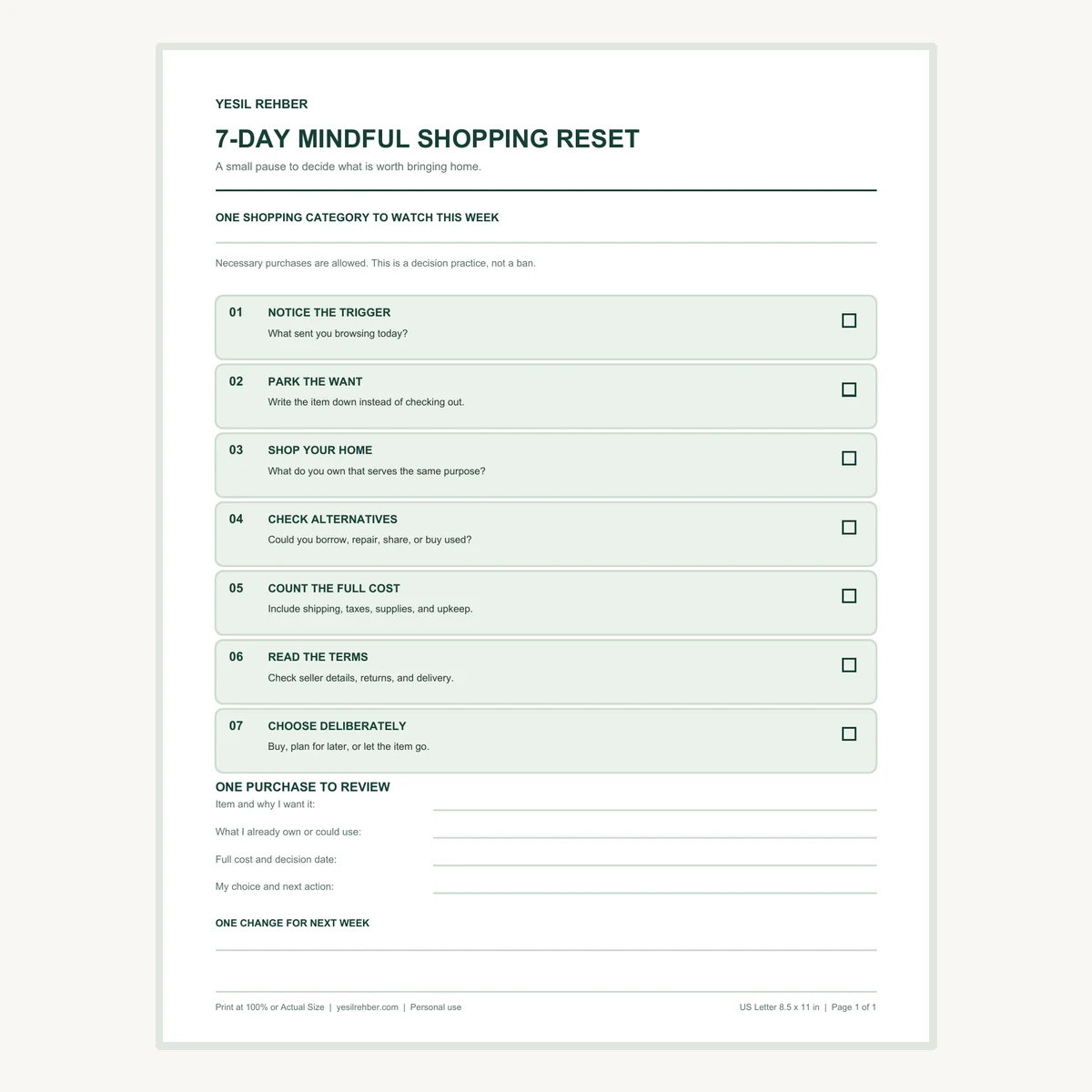
Use the one-page decision log to notice a trigger, check what you own, compare options, and record one purchase choice. Choose your paper size and print at 100% or Actual Size.
The quick method: pause, check, compare
When a nonurgent item catches your eye, write down what it is and why you want it. Decide when you will review it. Before that time, look for an item you already own that serves the same purpose. If you still want to buy, compare the full cost, condition, delivery, and return terms. A choice made after those checks is more useful than a rule that says you must never shop.
The U.S. Environmental Protection Agency suggests asking whether you need an item, will use it, already own one, or could borrow it. That sequence is particularly helpful for rarely used tools, party supplies, extra containers, and other purchases that often create clutter.
Why the online cart feels urgent
A cart can mix a real need with a temporary mood. A sale email, an attractive room photo, or a difficult day may send you browsing before you have named the problem a product would solve. Retail sites can also add pressure. The Federal Trade Commission has documented designs such as countdown timers that suggest a deadline when the offer is not truly limited, and important terms buried late in checkout.
You do not need to prove that a particular timer is misleading before you slow down. Treat urgency as a reason to check the facts: what is the actual deadline, total price, delivery date, and return policy? If the item is useful tomorrow, it will usually still be useful after a calm review. If the need is genuinely urgent, use a shorter check and move on.
Step 1: choose one category and protect the essentials
Pick a category where unplanned purchases have been showing up: decor, clothing, hobby supplies, or small kitchen tools. Keep the scope narrow enough that you can notice patterns. For seven days, route optional items in that category through the same decision process. Groceries, medicine, necessary repairs, and planned replacement of a broken essential do not have to wait for the challenge.
Write one sentence about your purpose. “I want to stop buying storage bins before I sort what I own” is more actionable than “I will spend nothing.” If a planned purchase already fits your needs and your budget, the reset can confirm it rather than block it. A useful rule should improve decisions, not turn normal household needs into failures.
Step 2: move the want to a parking list
When you notice an optional item, leave the checkout page and add it to one list on paper or your phone. Record the item, the reason you want it, where you would use it, and a review date. Choose a pause that fits the purchase: perhaps a day for a small nonurgent item or longer for a larger one. This is a personal decision window, not a claim that a particular number of hours prevents overspending.

Use specific language. “A lamp for the dark reading corner” identifies a problem. “New cozy things” does not. At the review time, ask whether that problem still exists. If you no longer remember why you saved the item, you can delete it without negotiating with the old cart. If it still matters, continue to the next checks.
Step 3: shop your home before another store
Look in the place where the new item would live. Do you already have a duplicate, an unopened backup, or something that needs a small repair? Pull the existing item out and check its condition. A container without its lid may only need the lid matched; a room that feels disorganized may need a short reset before it needs a new shelf.
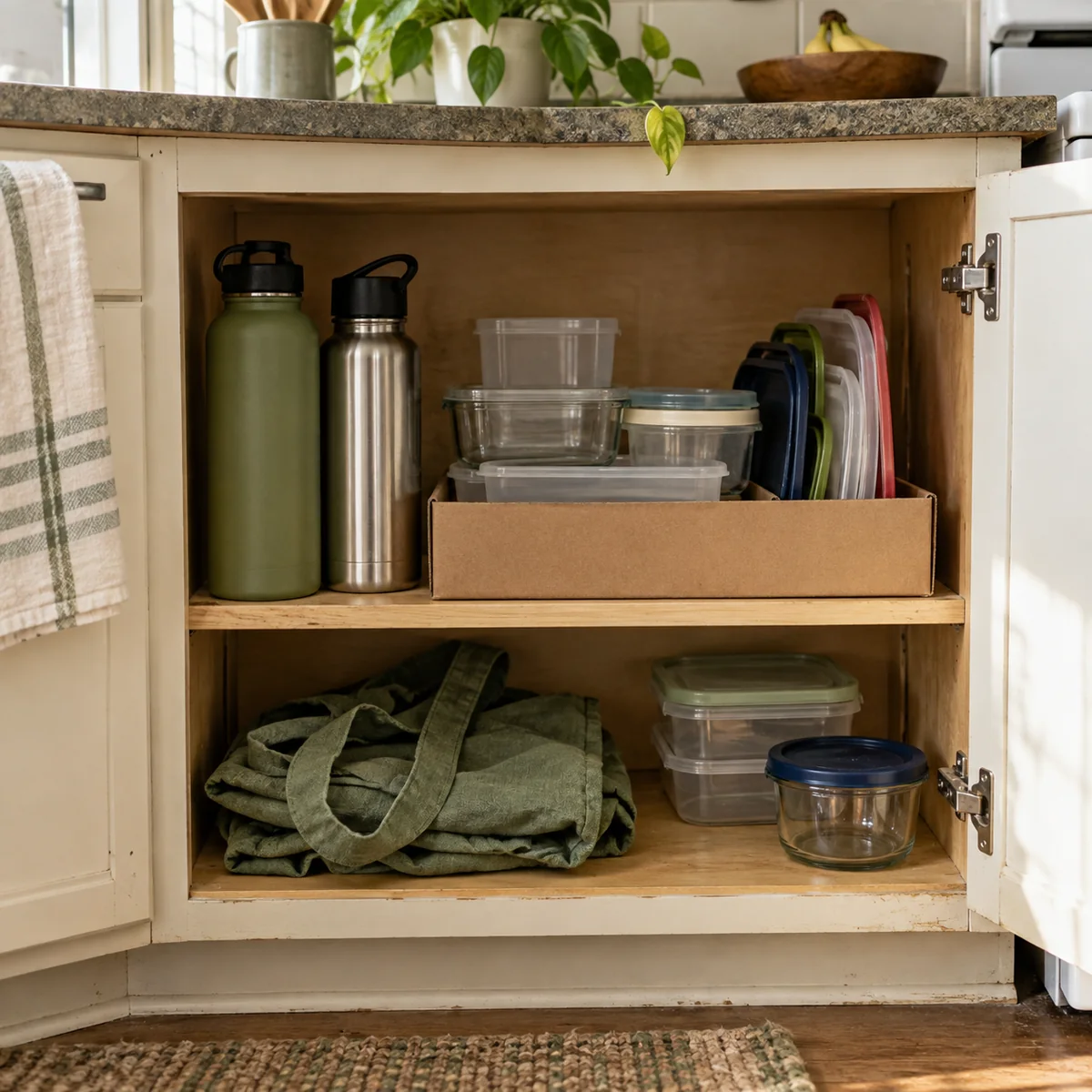
If the category is pantry storage, our pantry guide starts with an inventory and existing boxes or trays. For other crowded areas, the low-waste decluttering guide helps you finish one small area before shopping for organizers. The EPA also recommends borrowing, renting, sharing, or repairing things that are used infrequently. Those options are most useful when they are practical for your situation, not when they create more work than the item is worth.
Step 4: make browsing less automatic
Notice what started the last unplanned browsing session. Was it a sale email, an app alert, a social post, or simply a familiar tab you open when you are tired? Change one cue for the week. Unsubscribe from one promotional email, turn off a shopping app notification, remove a saved shortcut, or close the tab after you record the item on your list.
You do not need to delete every shopping app. The aim is to add a small moment in which you can choose. If a seller claims the deal ends soon, check the terms rather than letting a timer replace your decision. Keep your list of necessary purchases in a separate place so a real need does not disappear into a stream of suggested extras.
Step 5: compare the real options before buying
If the item still earns a place on your list, compare ways to meet the need. Could you borrow it for a short project, repair the one you own, or buy a suitable used version? For a secondhand item, inspect its condition, dimensions, missing parts, and pickup or delivery effort. A lower sticker price is not useful if the item will not fit or work.

For an online purchase, look at the total price including shipping, taxes, and other fees, then read the delivery and return terms. The FTC recommends checking those details when comparing sellers. A product may also require batteries, refills, replacement parts, or maintenance. Include those likely costs in your decision instead of comparing only the sale price.
Try the seven-day reset
- Day 1 – Notice: Pick one category and write down what sends you browsing.
- Day 2 – Park: Move one optional want to a list with a review date.
- Day 3 – Look: Check what you already own and where the item would live.
- Day 4 – Explore: Consider borrowing, repairing, sharing, or a suitable used option.
- Day 5 – Count: Write the full cost, including fees and supplies.
- Day 6 – Verify: Read seller, delivery, and return details if you plan to buy.
- Day 7 – Choose: Buy deliberately, plan for later, or let the item go.
You can apply the whole sequence to one item rather than finding a new product each day. If no optional purchase appears, use the week to notice which prompts you ignored. The printable below provides a small space to record one decision and what you would change next week.
A realistic example: the storage-bin cart
Suppose a photo of a tidy kitchen leads you to put three matching bins in an online cart. Your parking-list note says, “I cannot find lunch containers.” On Day 3, you check the cabinet and find several containers with lids stored in a different drawer. You move the lids next to the containers and try one reused shallow box to group the extras.
At the review time, the cabinet works better. You may decide you do not need the bins. Or you may still need one bin of a particular size. Measure the shelf, compare what you already own, and check the full cost before buying just that one. The result is a clear answer to the original problem, not a victory based on how many items you refused to buy.
What if the purchase is genuinely needed?
Use a shorter version of the check: name the need, confirm you do not already have a workable option, and compare the details that matter for that product. A broken essential, a time-sensitive gift, or a safety-related replacement may require action now. The seven-day format is for optional shopping decisions that can wait.
If money is the main concern, a spending record can make patterns clearer than memory alone. The Consumer Financial Protection Bureau recommends tracking spending over at least two weeks, or a month, to see where money goes. You can use that information to decide which category deserves attention, without turning every purchase into a moral test.
Common mistakes to avoid
- Making the rule too broad: Start with one optional category so you can practice the decision, not argue with every essential purchase.
- Leaving the item in the cart: Move it to a separate list so reminders and urgency cues do not keep pulling you back.
- Assuming used is always better: Check condition, fit, missing parts, and transport before choosing it.
- Comparing only sticker prices: Include shipping, fees, supplies, and return costs when they apply.
- Calling a delayed purchase a failure: A planned purchase that solves a real problem can be a good outcome.
Download the seven-day decision log
The free one-page printable has the seven daily prompts, space to review one purchase, and a line for one change you want to keep. Download the US Letter PDF (8.5 × 11 inches) or the A4 PDF (210 × 297 mm). Print at 100% or Actual Size.
Start the next time an optional item lands in your cart. Name the need, give yourself a review time, and make one choice you can explain. Repeat the parts that help.
Sources
- U.S. Environmental Protection Agency, Think Green Before You Shop
- Federal Trade Commission, FTC Report on Dark Patterns
- Federal Trade Commission, Online Shopping
- Consumer Financial Protection Bureau, Track Your Spending With This Easy Tool